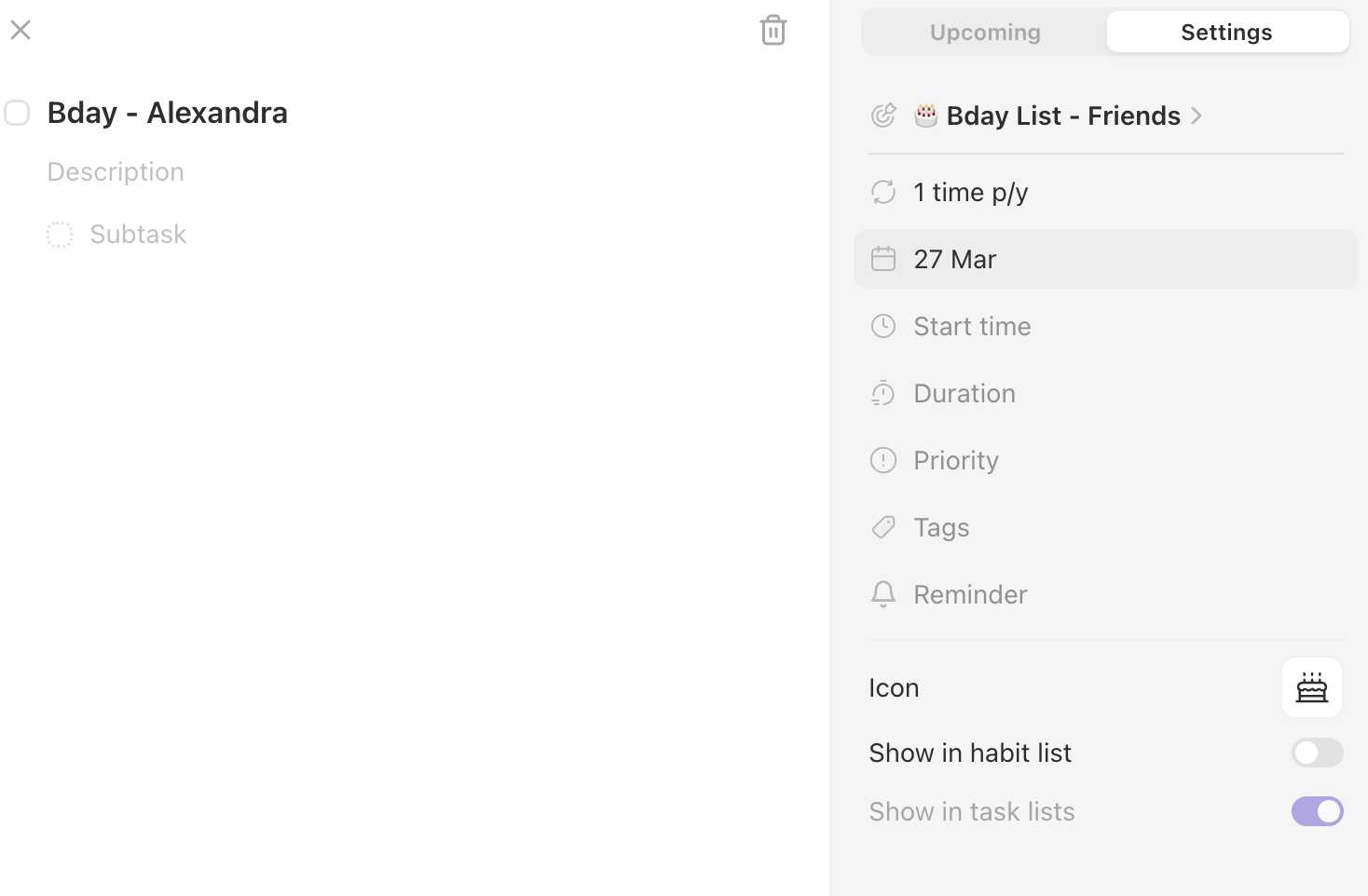
Building a bday list (so a series of task that repeat once a year) but when filtering my subgoal by date, they are categorized as not having any dates despite that not being the case
See how there are dates in the tasks at the bottom? Yet grouped “by date” has them with “no date”. This happens to be a smart list whose only filter is type “recurring” (no habits or tasks).
Teal Muffin
•
Aug 15
I am seeing the same thing. I have a series of recurring tasks. When I group by date (add none of them repeat less frequently than monthly), half of them get “no date” in their grouping, whereas the others do. I cannot see anything that otherwise distinguishes them.
Ruud from Griply
Team•
Jun 22
@🍷 In your screenshot it looks like you’ve set the habit to “complete 1 time per year”. This means you want to complete it any time in a year. The start date is 27 mar but because of this schedule you can complete it any time you want.
Better would be to create a repeating task by entering “every 27 mar”. That way it repeats itself on that exact day.
Pink Pulsar
•
Mar 22
Meant GROUPING not filtering.
Overall, faulty grouping is often a problem in the app, both in Mac and iOS versions.
Can be that some tasks attached to a goal are marked as “no goal” in the today tab (when the “Goal” grouping is set)
Os the same issue with some tasks/repeating tasks set on a specific date that are marked as having no date when “date” grouping is set in a smart list.

Log in to comment and vote
Comments4
Teal Muffin
Aug 15
See how there are dates in the tasks at the bottom? Yet grouped “by date” has them with “no date”. This happens to be a smart list whose only filter is type “recurring” (no habits or tasks).
Teal Muffin
Aug 15
I am seeing the same thing. I have a series of recurring tasks. When I group by date (add none of them repeat less frequently than monthly), half of them get “no date” in their grouping, whereas the others do. I cannot see anything that otherwise distinguishes them.
Ruud from Griply
Jun 22
@🍷 In your screenshot it looks like you’ve set the habit to “complete 1 time per year”. This means you want to complete it any time in a year. The start date is 27 mar but because of this schedule you can complete it any time you want.
Better would be to create a repeating task by entering “every 27 mar”. That way it repeats itself on that exact day.
Pink Pulsar
Mar 22
Meant GROUPING not filtering.
Overall, faulty grouping is often a problem in the app, both in Mac and iOS versions.
Can be that some tasks attached to a goal are marked as “no goal” in the today tab (when the “Goal” grouping is set)
Os the same issue with some tasks/repeating tasks set on a specific date that are marked as having no date when “date” grouping is set in a smart list.